YouTube Mixer
Paste a YouTube playlist, turn on automix: the mixer starts playing on its own, moving from one video to the next without leaving gaps between tracks.
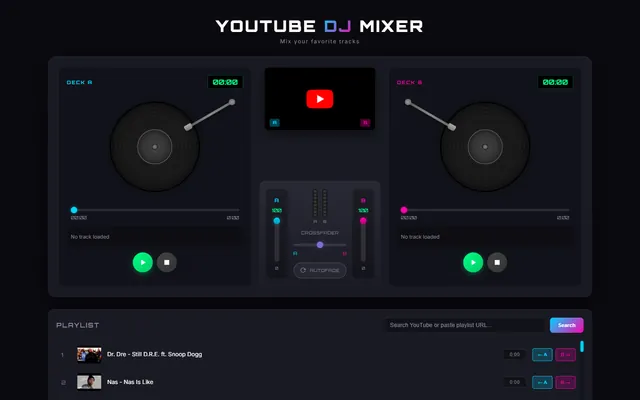
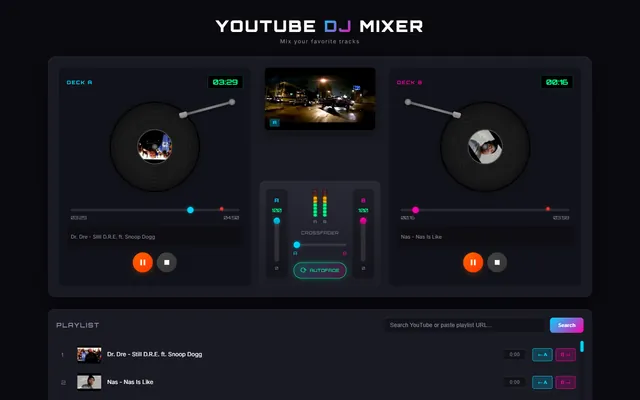
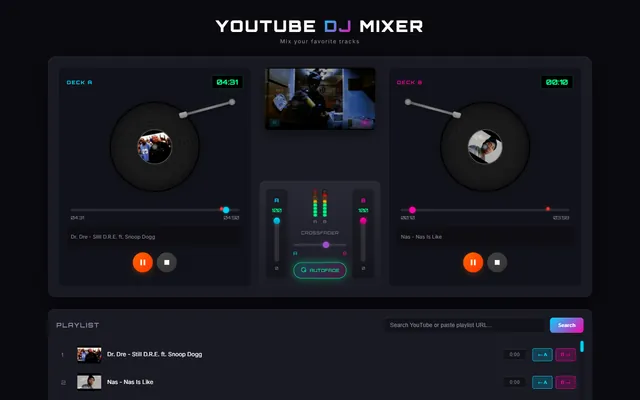
Listening to a YouTube playlist has an annoying flaw: there's almost always a gap between the end of one video and the start of the next — a moment of silence, the next video loading, sometimes even a few seconds of ads. YouTube Mixer exists to eliminate exactly that gap.
Where it comes from
The idea isn't random: it comes from the music side of the portal. Under the name Yurrena I produce and mix music — jungle, drum & bass, remixes — and people who make music have a particular intolerance for gaps: a set or a playlist should flow without holes, like a real night out, not stop and restart at every track. YouTube Mixer is an attempt to treat a YouTube playlist as one continuous DJ set, rather than a queue of separate videos.
How it's used
It's designed to be immediate: paste the link of any YouTube playlist, turn on automix, and from that moment the mixer takes over. No need to manually pick each track or hit play on every video change: once started, the mix keeps going on its own through the whole playlist. It's made to be left on in the background and forgotten, like a radio that never pauses.
What automix does
As a track nears its end, the mixer is already preparing the next one and overlaps them: the next video's start plays while the previous one is still fading out, exactly like a DJ moving from one song to the next without breaking the flow. The result is continuous listening, without the usual gap you hear scrolling through a normal playlist.
This applies to both audio and video: the scene change at the end of one clip and the start of the next are mixed together, not simply placed back-to-back.
Why it's harder than it looks
Making a two-second gap disappear is much more complicated than it seems. You have to know in advance when a track is about to end, have the next video already primed to start before it's needed, and manage the overlap so you never hear two tracks at full volume at the same instant. It's the kind of detail that, when done well, goes completely unnoticed — and that's exactly the ambition: that the listening simply seems never to stop.
Technology
The crossfade between tracks is handled with the browser's native Web Audio API, which allows precise control over volume and timing overlap between the outgoing and incoming source, while preloading the next video avoids the buffering dead time normally noticeable at a track change.