Web OS
A collection of historic operating systems — from Windows 3.1 to Windows 11, through Mac and Linux — relivable in the browser. Pick one and boot it.
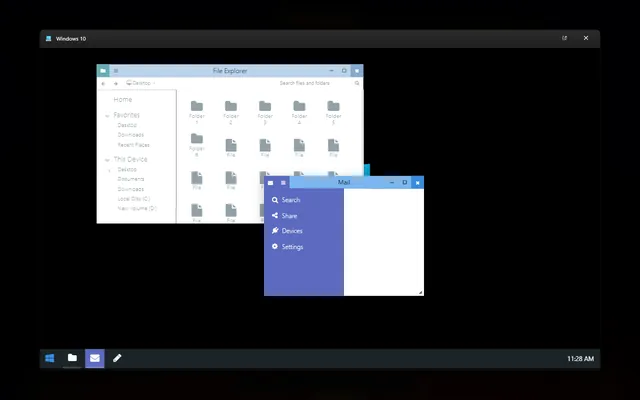
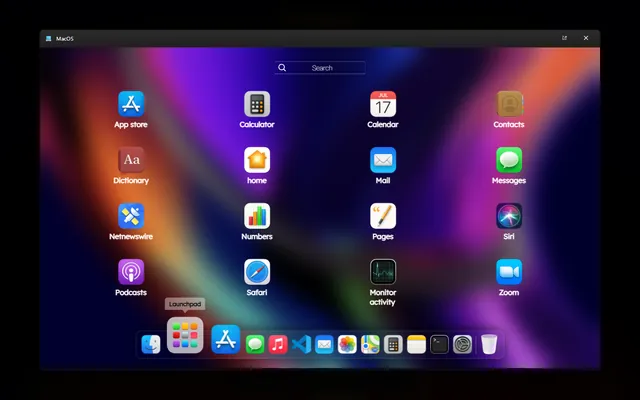
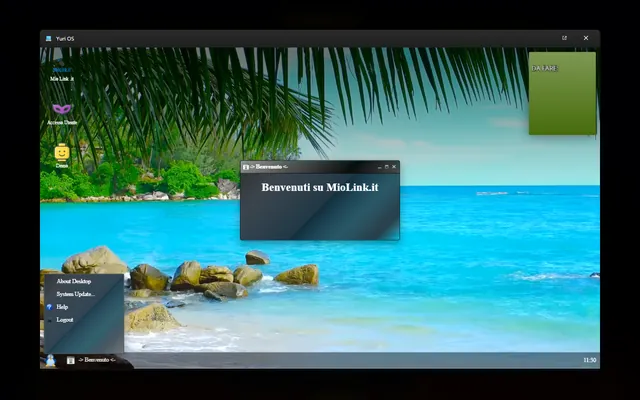
Web OS is a small interactive museum of the interfaces that shaped personal computing: from the flat colors and grey borders of Windows 3.1 to the translucent windows of more recent versions, passing through the look of the Mac and Linux desktops. Every environment is rebuilt in its interface — windows, icons, menus, effects — to be «powered on» directly in the browser, with nothing to download and no plugins.
Not an emulator, a recreator of feel
The distinction is important and deliberate: Web OS does not run the real software of those systems. A true emulator is heavy, complex and full of legal grey areas; here the goal is different — to faithfully recreate the look and the feel of using each era. It's an exercise in interaction design before it is nostalgia: rebuilding what it was really like to drag a window in 1992, and how the same gesture changed thirty years later.
What it means to rebuild an interface
The hard part is fidelity. A historic interface is made of details we take for granted until we try to remake them: the exact thickness of a window border, the right system font, the shadow that was or wasn't there, the way a button «presses in» on click. One detail out of place — a shadow too soft, a grey slightly wrong — and the illusion breaks. Rebuilding these environments means looking closely at dozens of design choices that seemed obvious at the time and turn out to be anything but accidental.
Each system therefore has its own interface rewritten by hand in HTML, CSS and JavaScript, with draggable windows, menus that open, and small interactions consistent with the original: not a static screenshot, but something you can actually play with.
How it's used
From the start screen you pick which operating system to boot; from there you explore the environment as if you had just switched it on, moving windows and opening menus. Jumping from one era to another is the most direct way to feel how much the unwritten rules of using a computer have changed.
Why do it
Web OS is both a love letter to the history of interfaces and a serious technical exercise: remaking a UI by hand teaches you how much invisible design work sits behind the things we take for granted every day. All in plain HTML, CSS and JavaScript, no frameworks — because the whole point was to see how far the basic tools of the web can go.