Ykan
A kanban board written and designed not for a human team, but to be read and executed by a vibe-coding AI: just one PHP file in the project.
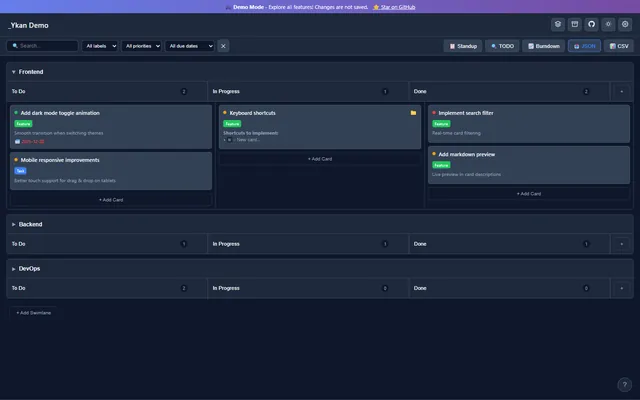
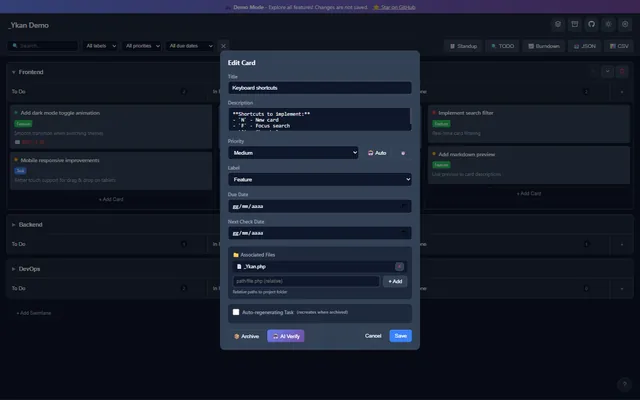
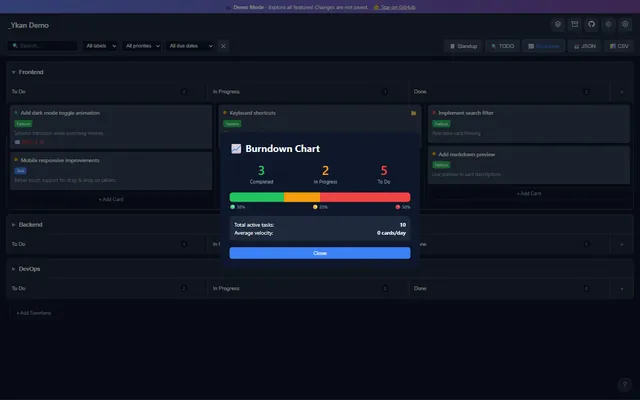
Ykan grew out of a very concrete problem for anyone working with vibe-coding AIs like Claude Code: the model writes code fast, but on a growing project it loses the thread. What's already done? What's in progress? What's missing? Ordinary project-management tools don't help, because they are built for a person opening them in a browser — not for a model that has to read and update them by itself while it programs.
Ykan's answer is to strip everything superfluous away: a kanban in a single PHP file, with no database. The data lives in a plain JSON file next to it. You drop it into the project folder, tell the AI to read it, and from that moment the file becomes the meeting point between whoever is directing the project and the AI executing it.
A kanban an AI can read and write
The flow is this. You start from an idea: you describe it to the AI and ask it to turn it into tasks inside Ykan. On a large project that can be hundreds of tasks generated in one go, already organized into columns and swimlanes — all visible, editable and rewritable by hand before a single line of code is written. That is the moment the human reviews the plan.
Then you tell the AI to start. The model opens tasks one at a time, executes them, and when done moves them itself into «Done» or «Review». You stay free to correct, approve or send back any task without rewriting the plan from scratch. For this to work you need an interface a machine can use without clicking: Ykan exposes simple endpoints — read the board summary, complete a task, move it between columns — so the AI talks to the kanban through an API, not with a mouse.
The phone as a remote control: MCP
The part I use most is remote control from mobile. A second file, mcp.php, exposes the board as an MCP server (JSON-RPC 2.0 over HTTPS): stateless, running on ordinary shared hosting, with no need for a VPS or an always-on process. From the Claude app on my phone I can manage the board and edit the files of the linked projects — read, search, write — straight from the beach, with no computer in front of me.
The mechanism: each swimlane on the board can be linked to a project folder. The AI only sees the folders explicitly linked, never anything outside them; the secrets (MCP key, projects root) live in a .env file, never in the code. This very portal is run this way: the work cards for its projects — including the revision you are reading — live on a Ykan board and are executed by an AI through its MCP.
An AI that checks itself
Ykan also hooks into a Gemini integration that goes beyond «suggest something». It can scan the project's code and propose the tasks to do; estimate complexity and duration; categorize and prioritize on its own; generate a daily standup report. But the function I care about most is task verification: the AI reads the files associated with a task and checks whether it was actually completed, instead of trusting that someone dragged it into «Done». And it answers in the language you choose.
The hooks to everything else
Around the core are the things that make a board genuinely usable every day: GitHub integration (issues, pull requests, commits and repo stats, with the option to turn an issue into a card), a themes system in JSON with a live switcher and a built-in editor, instant search and filters, Markdown support in descriptions, JSON/CSV export, card templates (Bug, Feature, Task, Docs, Refactor), a scanner for TODO/FIXME comments in the code, and a burndown chart for velocity. There are also self-regenerating tasks: recurring ones recreate themselves when you archive them.
Built to be used, not just shown
Ykan started as an internal tool to better manage the projects on this portal, and that is still what it is: a testbed to figure out which formatting conventions make a kanban legible to a model and not just to a human. It is PHP 8.2+, one file, one JSON, MIT-licensed, open source on GitHub. It stays a demo on purpose — because the value is not in yet another to-do app, but in the question underneath it: how do you write a tool designed so that, most of the time, the thing reading it is a machine?